Phone:
(701)814-6992
Physical address:
6296 Donnelly Plaza
Ratkeville, Bahamas.
Phone:
(701)814-6992
Physical address:
6296 Donnelly Plaza
Ratkeville, Bahamas.
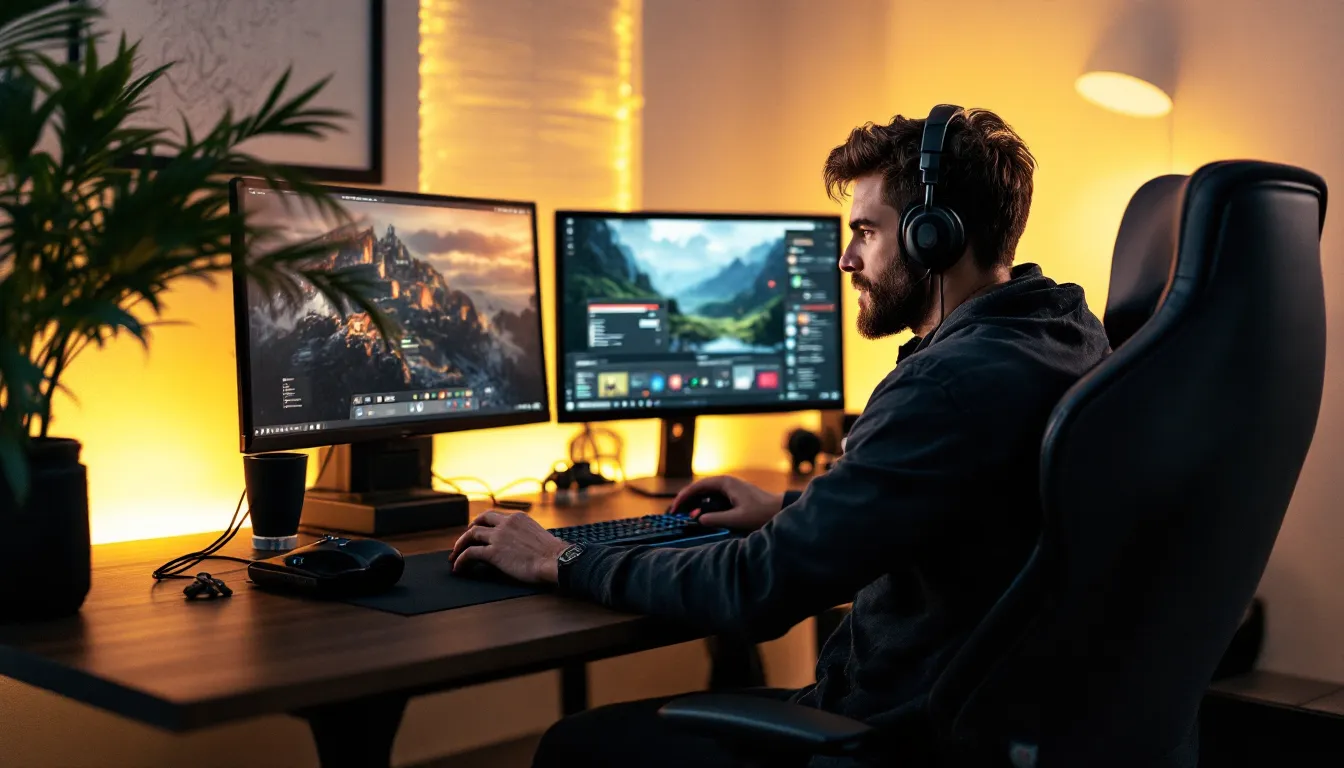
The gaming setup has evolved dramatically. What started as a simple chair and desk combo has transformed into ergonomic battlestations designed for marathon sessions and peak performance. But there’s a growing movement among gamers, from casual players to competitive pros, that’s challenging the traditional sit-down setup: standing desk gaming.
It’s not just a health trend. Standing desks are showing up in streaming studios, esports training facilities, and home gaming rigs across the globe. The reason? Gamers are discovering that the ability to switch between sitting and standing isn’t just about dodging back pain, it’s about maintaining focus during clutch moments, staying alert through long grinding sessions, and building a setup that adapts to how they actually play.
Whether you’re climbing ranked ladders, speedrunning your favorite titles, or streaming eight-hour sessions, your desk setup directly impacts your performance and long-term health. This guide breaks down everything you need to know about standing desk gaming: why it works, what features actually matter, and how to set up your rig for maximum effectiveness.
The average gamer spends anywhere from 3 to 8 hours daily at their setup. That’s a lot of sitting, and the research on prolonged sedentary behavior isn’t pretty. Back pain, neck strain, and circulation issues are common complaints in gaming communities, problems that don’t just hurt, they kill your grind.
Standing desks combat these issues by allowing position changes throughout the day. When you’re standing, you’re naturally engaging core muscles, improving posture, and boosting blood flow. This doesn’t mean standing all day (we’ll get to that), but alternating positions reduces the strain that comes from being locked in one posture for hours.
Many gamers report reduced lower back pain after switching to an adjustable height gaming desk. The ability to raise the desk during intense PvP sessions or lower it for relaxed single-player content gives your body the variation it craves. Plus, better circulation means more oxygen to the brain, which translates to sharper decision-making during critical moments.
Beyond pain relief, standing periodically can help prevent the metabolic slowdown associated with extended sitting. For streamers pulling all-nighters or competitive players grinding ranked queues, maintaining energy levels isn’t just comfort, it’s performance.
Here’s where it gets interesting for the competitive crowd. Several pro players and content creators have noted improved reaction times and focus when gaming while standing, particularly during high-stakes matches or intense streaming sessions.
Standing naturally increases alertness. Your body associates standing with activity, which can help combat the mental fog that sets in during hour five of a tournament. Some players use standing as a strategic tool, sitting for strategy games that require extended analysis, then standing during fast-paced shooters or fighting games where reaction time is critical.
The physical engagement of standing also helps channel nervous energy. Instead of fidgeting in a chair or tensing up during clutch rounds, standing allows for natural weight shifting and movement that can keep you loose and focused. Think of it like a basketball player staying on their toes at the free-throw line.
Another underrated benefit: standing desks force better posture by default. When sitting, it’s easy to slouch forward, especially during intense moments. This compresses your diaphragm and reduces oxygen intake. Standing keeps your chest open and breathing unrestricted, a subtle but real advantage during marathon gaming sessions.
The core feature of any standing desk is height adjustment, but not all systems are created equal. For gaming, you want electric height adjustment, manual cranks are too slow and disruptive when you’re mid-session. Look for desks with a minimum range of 24″ to 50″ to accommodate both sitting (with a chair) and standing positions for users of various heights.
Memory presets are non-negotiable for serious gaming setups. These programmable buttons let you save your exact sitting and standing heights, switching between them with a single press. Most quality gaming standing desks offer 2-4 memory presets. This might seem minor until you’re transitioning between game types or taking a quick break, seamless position changes keep you in the zone.
Speed matters too. Desks with adjustment speeds around 1.5 inches per second hit the sweet spot, fast enough to be convenient, but not so fast that your peripherals start sliding around. Cheaper models often max out at 1 inch per second, which feels sluggish when you’re trying to switch positions quickly.
Gaming setups aren’t minimalist. Between dual or triple monitors, keyboard, mouse pad, mic arm, stream deck, and whatever other gear you’ve accumulated, surface area is premium real estate.
For single-monitor setups, a 48″ wide desk works fine. Dual monitors? You’re looking at 60″ minimum to avoid cramping. Triple monitor configurations or ultrawide displays need 70″+ to give you proper space for peripherals. Many gamers using monitor mounting solutions can get away with slightly smaller desks since monitors are elevated, but you still need room for everything else.
Depth is equally critical. A 30″ deep desk is the baseline for gaming, anything shallower and your monitors are too close, causing eye strain. If you’re running a mic arm, camera, or overhead lighting, 30″ barely cuts it. The ideal gaming standing desk depth sits around 30-32 inches, giving you proper monitor distance while leaving space for arm movement during gameplay.
Weight capacity should handle your full battlestation with headroom. Calculate your total setup weight (monitors, PC if desk-mounted, accessories) and look for desks rated at least 50-80 lbs above that. Gaming gear has a way of multiplying over time.
Here’s where many standing desks fail the gaming test: wobble. When you’re playing competitive shooters or fast-paced action games, any desk shake from mouse movements or keyboard inputs is unacceptable. It throws off aim, creates visual distraction, and just feels wrong.
Stability comes down to frame construction and desk height. Dual-motor systems with reinforced steel frames significantly outperform single-motor setups. The wider the base (the distance between the legs), the more stable the desk at full standing height, where wobble is most pronounced.
Look for desks with crossbar support or three-stage legs instead of two-stage. These design elements drastically reduce lateral movement. Some premium gaming standing desks include stability braces specifically engineered for the vibration patterns of gaming peripherals.
Test stability at maximum height before committing. If possible, simulate actual gaming conditions: rapid mouse flicks, aggressive keyboard inputs during ability rotations or combos. Your monitors shouldn’t bounce or sway. Period.
Gaming setups are cable nightmares. Power cables, display cables, USB connections, audio cables, RGB controller cables, it adds up fast. When your desk moves up and down multiple times daily, cable management isn’t just aesthetic, it’s functional.
Built-in cable management channels and grommets are standard, but gaming setups need more. Look for desks with under-desk cable trays or cable spines that keep wires organized during height transitions. Cables need enough slack to accommodate the full range of motion without pulling or creating tension on ports.
Accessory compatibility matters for gamers. VESA monitor mount compatibility, headphone hooks, controller stands, and RGB light strips should all integrate cleanly. Some gaming-focused standing desks include dedicated cable channels for mouse cables or built-in USB hubs to reduce wire runs to your PC.
Power management is often overlooked. An integrated power strip or surge protector mounted to the underside of the desk keeps power accessible and protected during height changes. This beats having power strips on the floor that require constant cable length adjustments.
Monitor positioning can make or break your standing desk gaming experience. The rules change slightly compared to sitting setups, and getting it wrong leads to neck strain and eye fatigue, fast.
When standing, your monitor’s top edge should be at or slightly below eye level. Your natural line of sight angles slightly downward (about 15-20 degrees), so positioning monitors too high forces you to tilt your head back, creating neck tension. For most gamers, this means the center of the screen sits about 4-6 inches below eye level when standing.
Distance follows the arm’s length rule: extend your arm fully, and your fingertips should nearly touch the screen. For 24″ monitors, this is roughly 20-26 inches. Larger displays or ultrawides need proportionally more distance. Detailed guides about display positioning often recommend the 1:1.5 ratio, for every inch of screen height, sit/stand 1.5 inches away.
Dual monitor setups require angled positioning. Instead of flat alignment, angle each monitor slightly inward (15-30 degrees) to create a gentle arc. This reduces the amount of head turning and keeps both displays within your comfortable viewing cone. The primary gaming monitor should be directly in front of you, with secondary displays for Discord, stream chat, or guides offset to your preferred side.
Keyboard and mouse ergonomics differ significantly between sitting and standing. When standing, your arms should hang naturally at your sides with elbows at approximately 90-100 degrees when hands are on your peripherals. This typically means your keyboard sits at or just below elbow height.
Most gamers find they need their desk slightly lower than traditional standing desk recommendations. Office work optimizes for typing: gaming optimizes for rapid inputs and mouse control. Your wrists should be neutral or very slightly extended, never bent upward or downward. Any wrist deviation during extended gaming sessions leads to strain or RSI issues.
Mouse space deserves special attention. Low-sensitivity gamers using large mouse pads need the desk height to allow full arm sweeps without shoulder elevation. If you’re playing with your shoulders tensed or raised, your desk is too high. Your entire arm from shoulder to fingertips should move freely without restriction.
Keyboard angle matters more when standing. The slight downward viewing angle means a flatter keyboard profile often feels more natural than aggressive tilt. Many competitive gamers who prefer angled keyboards when sitting switch to minimal or zero tilt when standing.
Standing on hard floors for extended periods is brutal on feet, knees, and lower back. Anti-fatigue mats are essential gear for standing desk gaming, not optional accessories.
Look for mats with a firm but cushioned surface, around 3/4 to 1 inch thick. Too soft and you lose stability for precise mouse movements: too firm and you’re basically still standing on a hard surface. The mat should be large enough to accommodate natural foot repositioning, at least 24″ x 36″ for standing gaming.
Mats with textured surfaces or subtle contours encourage micro-movements that keep blood flowing. Some gamers swear by balance board-style mats for single-player content, though these are too unstable for competitive gaming. Standard anti-fatigue mats strike the right balance.
Footwear makes a difference. Gaming barefoot or in socks on a mat works for many people, but supportive footwear helps during longer standing sessions. Avoid shoes with elevated heels or rigid soles, they force awkward posture adjustments. Athletic shoes or minimalist footwear maintain natural foot positioning.
Consider a footrest or footbar for position variation. Even when standing, being able to rest one foot slightly elevated (like on a small platform) periodically changes your posture and reduces fatigue. Alternating which foot is elevated keeps your body engaged without overworking specific muscle groups.
Here’s the reality check: standing all day isn’t the goal. It’s about breaking up prolonged sitting with standing intervals. The research on optimal ratios varies, but for gamers, practical testing has settled around a 1:2 or 1:3 standing-to-sitting ratio as a starting point.
For an 8-hour gaming session, that translates to roughly 2-3 hours of standing spread throughout. This doesn’t mean standing for 3 consecutive hours, that’s miserable and counterproductive. Instead, think in blocks: stand for 30-45 minutes, sit for 60-90 minutes, repeat.
Start conservative. If you’re new to standing desk gaming, begin with 15-20 minute standing intervals and gradually increase as your body adapts. Leg and foot fatigue in the first week or two is normal. Your body needs time to build the endurance for extended standing.
Some gamers find a 50/50 split works once fully adapted, particularly if using quality anti-fatigue mats and taking micro-breaks. Others settle at 30% standing, 70% sitting long-term. There’s no universal perfect ratio, it depends on your fitness level, game types, and how your body responds.
Pay attention to fatigue signals. If your focus is dropping or your mechanics are getting sloppy, it might be time to switch positions. The whole point of an adjustable height gaming desk is flexibility, so use it.
Smart gamers use position changes strategically based on what they’re playing. The cognitive and physical demands of different game genres make certain positions more advantageous.
Competitive multiplayer, shooters, MOBAs, battle royales, often benefit from standing during critical moments. Many players report better reaction times and sharper focus when standing during ranked matches or tournament play. The increased alertness and physical engagement match the intensity of competitive gaming.
Story-driven single-player games, RPGs, or strategy titles lend themselves to sitting. When you’re exploring open worlds, managing city-building sims, or following narrative content, the relaxed posture of sitting feels more appropriate. You’re engaged mentally but not requiring split-second physical responses.
Grinding sessions, farming materials, leveling characters, completing repetitive tasks, are perfect opportunities to stand. The physical engagement of standing combats the mental monotony of repetitive gameplay. It keeps you alert during activities that might otherwise induce the zone-out state of autopilot gaming.
Content creation and streaming introduce another variable. Some streamers stand during high-energy segments or intense gameplay, then sit for longer chat interactions or creative work. The position change can actually signal energy shifts to your audience, even if they can’t see you standing.
Use queue times, loading screens, and between-match lobbies as natural transition points. Instead of disrupting gameplay to adjust your desk, sync position changes with game downtime. This keeps you in the flow state while still getting the benefits of position variation.
You don’t need to drop a grand on a standing desk to get the benefits. Budget-friendly options in the $300-500 range offer solid height adjustment and sufficient stability for most gaming setups.
Entry-level electric standing desks from brands like FlexiSpot or VIVO typically feature dual motors, decent weight capacity (around 150-200 lbs), and basic memory presets. They won’t have the premium stability of high-end models, but for single or dual monitor setups with moderate gaming peripherals, they perform well.
The trade-offs at this price point are usually build quality and longevity rather than core functionality. Motors might be louder, adjustment speed slower, and frames less robust. If you’re gaming 2-4 hours daily on a single monitor setup, these desks deliver the essential benefits of standing desk gaming without very costly.
Look for models with at least two memory presets and a minimum 48″ wide surface. Avoid single-motor designs, they create uneven lifting and poor stability. Frame warranty of 3-5 years indicates the manufacturer has some confidence in durability.
Streamers, content creators, and serious competitive gamers need premium-tier standing desks that can handle complex setups without compromise. The $800-1500 range opens up significantly better options.
High-end gaming standing desks feature commercial-grade dual motors, advanced stability systems, whisper-quiet operation, and extensive customization. Brands like Uplift, Jarvis, or gaming-specific lines from DXRacer and Secretlab offer desks engineered for heavy multi-monitor setups with broadcast equipment.
Premium models typically include 4 memory presets, extended height ranges for users of all sizes, improved weight capacity (250-350 lbs), and significantly better stability at maximum height. The difference in wobble between budget and premium desks is immediately noticeable during actual gaming.
For streamers, consider desks with integrated cable management channels, RGB compatibility, and aesthetic features that look good on camera. Some premium gaming standing desks include built-in LED lighting, carbon fiber surfaces, or customizable desktop materials that complement high-end streaming setups.
The investment makes sense if gaming and content creation are significant parts of your life. The improved stability affects aim consistency, the better ergonomics reduce fatigue during long streams, and the quality components mean the desk will last through multiple setup iterations.
Not everyone has space for a 72″ battlestation. Compact standing desks (42-48″ wide) can still deliver proper standing desk gaming functionality in smaller bedrooms, apartments, or shared spaces.
The challenge with compact desks is fitting a proper gaming setup without feeling cramped. Single monitor or smaller ultrawide setups work best. You’ll need to be strategic about peripheral placement, consider monitor arms to free up desk surface and vertical storage solutions for controllers, headsets, and other accessories.
Some compact standing desks feature L-shaped or corner configurations that maximize usable surface area in tight spaces. These designs create more peripheral space while maintaining a small footprint. The corner position can actually work well for gaming, creating a wraparound effect with your monitor and side desk space for drinks, phones, or reference materials.
Prioritize depth over width if choosing between the two. A 42″ wide by 30″ deep desk handles gaming better than 48″ wide by 24″ deep. That extra depth keeps your monitor at proper distance and leaves room for a full-size mouse pad.
Wall-mounted or standing desk converters are alternatives worth considering for extremely limited spaces. Converters sit on top of existing desks and raise/lower your keyboard and monitors. They’re less elegant than full standing desks but work when floor space is at a premium.
The most common mistake new standing desk gamers make is overdoing it. Standing for 4-5 hours straight because you read that “sitting is the new smoking” is just replacing one extreme with another. Your body needs position variation, not prolonged standing.
Extended standing without breaks leads to lower back pain, leg fatigue, and foot discomfort, ironically, some of the same issues you’re trying to avoid by standing in the first place. The fatigue from standing too long will hurt your gaming performance just as much as the sluggishness from sitting too long.
Set up reminders or use natural game breaks as cues to switch positions. Between matches, after completing quests, during queue times, these are ideal moments to sit or stand depending on your current position. Many gamers find that matching their gaming schedule to position changes creates a sustainable rhythm.
Listen to your body. If your feet are hurting or you’re shifting weight constantly out of discomfort rather than natural movement, it’s time to sit. Pushing through pain doesn’t build toughness, it builds chronic issues that’ll sideline you from gaming altogether.
Standing doesn’t automatically equal good posture. Plenty of gamers stand with terrible form, hips shifted to one side, shoulders hunched forward, neck craned toward monitors. This is often worse than sitting with good posture.
The most common standing posture mistake is leaning on the desk. It’s tempting during intense moments to shift weight onto your forearms and lean into your monitor. This compresses your shoulders forward and creates neck strain. Your desk should support your peripherals, not your body weight.
Weight distribution should be even across both feet, positioned roughly shoulder-width apart. Avoid locking your knees, maintain a very slight bend to keep muscles engaged and prevent circulation restriction. Your hips should stack above your ankles, shoulders above hips, creating a neutral spine alignment.
Monitor height errors amplify posture problems. If your screen is too low, you’ll crane your neck downward. Too high, and you’ll tilt your head back. This seems minor but over hours of gaming, these small deviations create significant strain. Take time to properly calibrate monitor position for both sitting and standing configurations.
Periodic posture checks help. Set a timer every 30-45 minutes to consciously assess your position. Are your shoulders relaxed? Is your weight evenly distributed? Is your neck neutral? These quick checks prevent you from slowly drifting into poor posture over the course of a gaming session.
Monitor arms are arguably the single best accessory upgrade for standing desk gaming. They free up valuable desk surface, enable perfect positioning for both sitting and standing heights, and allow quick adjustments without touching the monitors themselves.
Quality monitor arms use gas spring or mechanical spring mechanisms to support display weight while allowing effortless height adjustment. For standing desk setups, look for arms with extended vertical range, you need more adjustment travel to accommodate the difference between sitting and standing monitor heights.
Dual or triple monitor arms should feature independent adjustment for each display. Gaming setups often use different size monitors (say, a 27″ primary and two 24″ side displays), so individual positioning control is essential. Some gamers prefer separate single arms over multi-monitor arms for exactly this reason, maximum flexibility per display.
VESA mount compatibility is standard on most gaming monitors, but verify your specific models before buying arms. Weight ratings matter too, ultrawide monitors or larger displays require arms rated for their specific weight. Undersized arms will sag over time, requiring constant readjustment.
When you’re not standing, you’re sitting, so your chair matters as much as your desk. But beyond traditional gaming chairs, several alternative seating options complement standing desk gaming particularly well.
Drafting chairs (tall chairs designed for standing-height desks) let you perch while keeping your desk at standing height. This semi-standing position reduces leg fatigue while maintaining some of the posture benefits of standing. They’re ideal for transitional periods when you want to take weight off your feet without fully sitting down.
Active sitting stools like wobble stools or saddle chairs engage your core and encourage movement even while seated. They’re not for marathon gaming sessions, but rotating through 30-45 minute intervals on an active stool between standing periods adds another position variation to your routine.
Kneeling chairs represent another alternative, promoting upright posture by distributing weight between your shins and hips. They take significant adaptation and aren’t for everyone, but some gamers find they work particularly well for strategy games or single-player content where you’re not making rapid full-body movements.
The key is variety. Having 2-3 seating options plus to standing gives you multiple position choices throughout a gaming session. Your primary gaming chair handles the bulk of seated time, but alternative seating fills specific niches and keeps your body from adapting too much to any single position.
Standing desk gaming isn’t about abandoning sitting entirely or following health trends blindly. It’s about giving yourself options, the flexibility to adjust your position based on how you’re feeling, what you’re playing, and how long you’ve been gaming.
The setup process takes time. Dialing in perfect monitor heights, finding your ideal standing-to-sitting ratio, and building the endurance for extended standing sessions doesn’t happen overnight. But once you’ve adapted your rig and your routine, the benefits are tangible: less pain, better focus, and a setup that works with your body instead of against it.
Start with the fundamentals: get a stable desk with reliable height adjustment, set up proper ergonomics for both positions, and transition gradually. The gaming community is still early in adopting standing desk setups compared to office workers, but the competitive advantages and health benefits are pushing more players to make the switch.
Your gaming setup should enhance your performance and protect your long-term health. An adjustable height gaming desk does both, giving you the control to game the way your body needs, not just how tradition dictates. Whether you’re grinding ranked, building content, or just enjoying games on your terms, standing desk gaming offers a legitimate upgrade to how you play.
